LLM Evaluator Tool: Runtime Checks for Quality and Safety
NEO built a flexible evaluator that scores model outputs against rubrics. Use it to gate prompts, routing, and fine-tunes before they touch real users. The tool is aimed at teams that already ship LLM features and need repeatable scoring, not one-off eyeball review.
Problem Statement
We asked NEO to ship one CLI and API surface for evaluation batches: custom criteria, rolled-up scores, and exports your CI and product reviews can actually use. Spreadsheet grading and ad hoc rubrics do not scale when you compare models, prompt versions, or weekly releases.
Solution Overview
- Rubric engine: Criteria and weights live in YAML so you can version them beside application code.
- Batch mode: CSV or JSON in, scored rows out, with optional parallelism for large sets.
- Extensible judges: Rules, embedding similarity, or LLM-as-judge behind a common interface.
- Composite scoring: Per-dimension scores roll into a single weighted index for pass and fail thresholds.
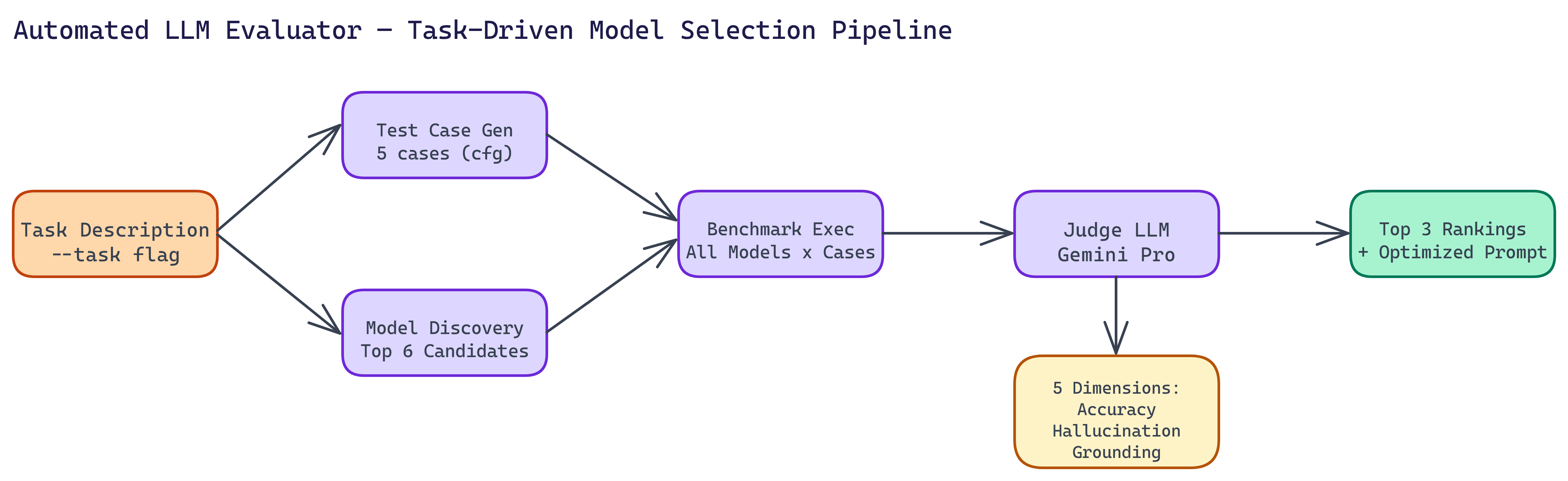
Evaluation Dimensions
The default rubric treats each response as a structured artifact and scores it on five dimensions. Each dimension uses a 1 to 5 scale in the underlying implementation; those roll into a 0 to 100 weighted composite you can threshold in CI.
| Dimension | What it measures |
|---|---|
| Relevance | Does the answer address what the user actually asked? |
| Accuracy | Are the facts correct for the domain? |
| Completeness | Does the answer cover the important aspects of a multi-part question? |
| Clarity | Is the response structured and easy to follow? |
| Safety | Does it avoid harmful content and respect policy-style constraints? |
Weights are configurable in YAML so a medical assistant can emphasize accuracy and safety, while an internal coding assistant can emphasize relevance and completeness.
Workflow / Pipeline
| Step | Description |
|---|---|
| 1. Define rubric | Criteria, scales, weights, and optional few-shot anchors for judges |
| 2. Load dataset | Pairs of prompt and model output from CSV or JSON, or live calls |
| 3. Score | Parallel workers call configured judges; failures are isolated per row |
| 4. Summarize | Aggregate metrics, composite score, and worst examples for review |
| 5. Export | JSON, CSV, or Markdown reports for dashboards and pull requests |
CLI and Reports
Typical usage points the CLI at a CSV of prompts and responses, a rubric file, and an OpenRouter API key for the judge model. Flags often include the input path, rubric path, model id, concurrency, and output path. The HTML report shows per-dimension breakdowns, the composite score distribution, and the lowest-scoring examples so reviewers do not hunt through raw logs. JSON and CSV exports support automation: fail the build when the composite drops below a floor or when any safety score hits a critical band.
Repository & Artifacts
Generated Artifacts:
- Evaluation CLI and JSON schema for machine-readable results
- Example rubrics for support, coding assistance, and safety-sensitive use cases